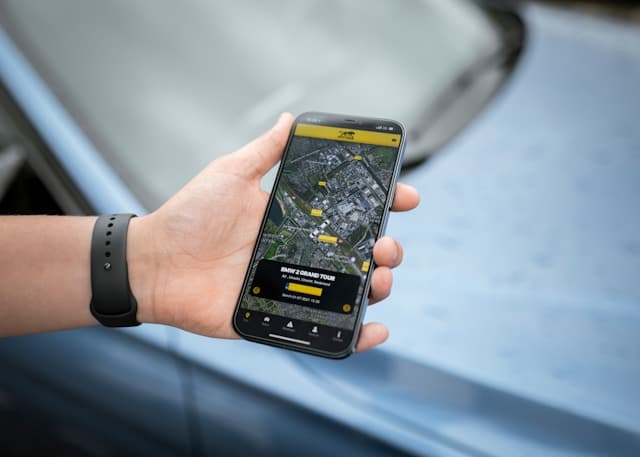
Let’s be honest for a second. Most of us carry our phones everywhere—pockets, bags, even the bathroom sometimes. They’re practically an extension of our hands now. Which is exactly why the idea of someone secretly tracking your phone can feel… unsettling, to say the least.
Now, before jumping to conclusions, it’s worth knowing that phones can act weird for perfectly normal reasons. Apps crash. Batteries age. Networks glitch. Still, certain patterns can make you pause and think, okay… that’s a little strange.
Here are a few things worth paying attention to.
Unusually Fast Battery Drain
This one catches people off guard pretty often.
If your phone used to last all day but now seems to lose power in just a few hours, something in the background might be constantly running. Sure, social media apps and games are notorious battery hogs, but tracking software can also quietly chew through battery life because it keeps sending location data.
Not proof on its own—but it can raise an eyebrow.
The Phone Gets Warm… Even When Idle
Phones naturally heat up while streaming, gaming, or charging. That’s normal.
But if your device feels oddly warm while it’s just sitting on the table doing absolutely nothing? That’s a little suspicious. Sometimes it means a background app is working overtime—possibly collecting data or updating location information repeatedly.
Again, it doesn’t guarantee anything. But it’s worth noticing.
Strange Data Usage Spikes
Ever checked your mobile data usage and thought, Wait… when did I use that much?
If your monthly data suddenly jumps for no clear reason, it could mean an app is sending information in the background. Tracking apps often rely on internet connections to transmit location updates, logs, or device activity.
So if the numbers don’t match your usage habits, it might be time to investigate.
Odd Sounds During Calls
Okay, this one can sound a little dramatic—but sometimes people notice strange noises during phone calls. Clicking sounds. Static. Echoes that feel slightly… off.
Now, to be fair, poor network connections cause weird call sounds all the time. It’s not uncommon. But if these noises appear frequently and consistently, some people start wondering whether another service might be interfering with the line.
Not definitive. Just something to keep in mind.
Unknown Apps on Your Device
Here’s a practical step.
Scroll through the list of apps installed on your phone. Slowly. Anything unfamiliar? Something you definitely don’t remember installing?
Some monitoring apps try to hide behind generic names like “System Service” or “Device Info.” They blend in with normal apps so users don’t notice them easily.
If something looks unfamiliar, a quick search online can usually reveal what it actually is.
Unexpected Pop-Ups or Strange Behavior
Another small clue: your phone suddenly acting… different.
Maybe ads appear out of nowhere. Maybe apps open or close on their own. Or notifications start popping up from services you’ve never heard of.
Sometimes this simply means malware slipped in through a suspicious download. Other times it could indicate monitoring software.
Either way, it’s worth taking seriously.
What You Can Do If You Suspect Tracking
If several of these signs appear together, don’t panic. Seriously. Phones can behave strangely for lots of reasons.
Still, taking a few precautions never hurts:
- Review installed apps and remove anything suspicious
- Run a trusted mobile security or antivirus scan
- Update your phone’s operating system
- Reset app permissions and location access
- As a last resort, perform a factory reset
A factory reset might sound drastic, but it wipes the device clean and removes most hidden tracking software.
A Quick Final Thought
Technology makes life easier—no question about that. But it also means staying a little aware of what’s happening behind the scenes.
Most of the time, odd phone behavior turns out to be harmless. A buggy app. A drained battery. A bad signal.
Still… it never hurts to double-check.
After all, peace of mind is worth a few minutes of investigation.