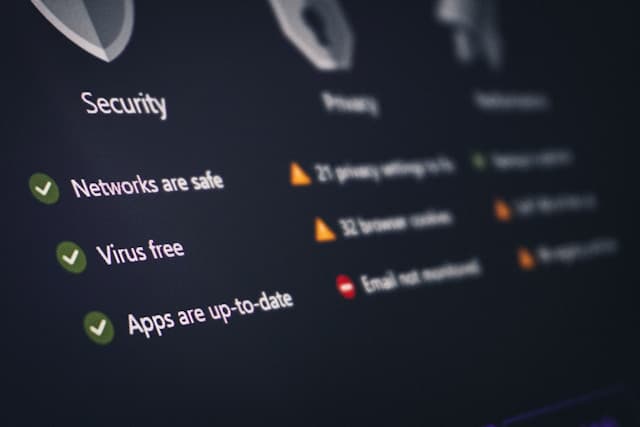
In today’s digital world, almost everything we do leaves a data trail. From browsing websites to using mobile apps and social media platforms, personal information is constantly being collected. While many companies use this data to improve services and personalize experiences, it can also expose users to privacy risks if the right protections are not enabled.
Cybercriminals, advertisers, and even unknown third parties often seek access to user data. Without proper privacy settings, sensitive details like location, contacts, browsing history, and personal messages may become vulnerable. Many people assume that their devices or apps automatically protect them, but the default settings are often designed for convenience rather than privacy.
Fortunately, most devices, browsers, and online platforms offer built-in privacy controls. The challenge is that these settings are often hidden or overlooked. By enabling a few essential privacy features, users can significantly reduce the amount of personal information they expose online.
Understanding and activating these privacy settings is one of the easiest and most effective ways to protect your digital identity.
Enable Two-Factor Authentication Everywhere
Two-factor authentication (2FA) is one of the most important privacy and security settings you can enable. It adds an extra layer of protection to your accounts by requiring two forms of verification before access is granted.

Typically, this means entering your password and then confirming your identity through a code sent to your phone, an authentication app, or a security key. Even if someone manages to steal or guess your password, they will not be able to log in without the second verification step.
Most major platforms support two-factor authentication, including email services, banking apps, social media platforms, and cloud storage providers. Despite its effectiveness, many users still leave this feature disabled.
Enabling 2FA greatly reduces the risk of account hacking, identity theft, and unauthorized access. Authentication apps like Google Authenticator, Microsoft Authenticator, and Authy are popular options for generating secure verification codes.
When setting up two-factor authentication, it is also wise to store backup recovery codes in a safe place. These codes allow you to access your account if you lose your phone or authentication device.
Making 2FA a standard practice for all important accounts is a simple step that dramatically improves online privacy.
Manage App Permissions and Data Access
Another critical privacy setting involves controlling which apps have access to your personal data. Many mobile applications request permissions that are not necessary for their core functionality.
For example, a simple photo editing app may ask for access to your contacts, microphone, or location. While these permissions might seem harmless, they allow apps to collect and share more data than you might expect.
Both Android and iOS devices provide tools to manage app permissions. Users can review which apps have access to sensitive features such as the camera, location services, microphone, contacts, and storage.
Regularly reviewing these permissions helps ensure that apps only access what they truly need. If an app requests suspicious permissions, it is often best to deny them or uninstall the application altogether.
Location tracking deserves special attention. Many apps continue to monitor your location even when you are not actively using them. Setting location access to “While Using the App” instead of “Always” can significantly improve privacy.
Limiting unnecessary permissions reduces the amount of personal data that apps can collect, helping to keep your digital footprint smaller and safer.
Adjust Social Media Privacy Controls

Social media platforms are among the largest collectors of personal data. Many users unknowingly share far more information than they realize through their profiles, posts, and interactions.
Most social networks provide privacy settings that allow users to control who can see their content, contact them, or search for their profiles. Unfortunately, these settings are often configured for maximum visibility by default.
Changing profile visibility from public to private is one of the easiest ways to protect personal information. This ensures that only approved followers or friends can view your posts and photos.
It is also important to review tagging settings. Some platforms allow others to tag you in posts or photos without approval. Enabling manual review for tags prevents unwanted content from appearing on your profile.
Another useful setting is limiting who can find you through your email address or phone number. Disabling these search options reduces the chances of strangers locating your account.
Finally, consider reviewing old posts and removing any sensitive or outdated information. Many platforms allow you to bulk-manage previous posts to improve privacy.
Taking control of social media privacy settings helps prevent oversharing and protects your personal identity online.
Turn On Browser Privacy Protections
Web browsers play a major role in protecting online privacy. Modern browsers include built-in tools designed to block trackers, prevent data collection, and improve overall security.
One of the most important features to enable is tracker blocking. Many websites use tracking technologies to monitor browsing behavior across multiple sites. These trackers help advertisers build detailed profiles of users.
Browsers like Firefox, Safari, Brave, and even newer versions of Chrome offer privacy settings that block third-party trackers and cookies. Enabling these protections can significantly reduce targeted advertising and data tracking.
Private browsing modes also provide an additional layer of privacy. While they do not make users completely anonymous, they prevent the browser from storing history, cookies, and form data after the session ends.
Another useful feature is automatic HTTPS connections. HTTPS encryption ensures that data exchanged between your device and a website is secure. Many browsers now offer settings that force websites to use HTTPS whenever possible.
Users can further enhance privacy by clearing browsing data regularly and disabling unnecessary browser extensions, which may collect data in the background.
By adjusting browser privacy settings, users gain better control over how their online activity is tracked and recorded.
Protecting Your Digital Life Starts With Settings
Online privacy does not require advanced technical knowledge. In many cases, simply adjusting built-in settings can make a significant difference in protecting personal information.
Enabling two-factor authentication, managing app permissions, adjusting social media controls, and activating browser privacy protections are some of the most effective steps anyone can take.
As technology continues to evolve, companies will keep collecting data to power digital services. While this data collection cannot be completely avoided, users have the power to limit how much information they share.
Taking a few minutes to review and enable essential privacy settings today can prevent major privacy risks in the future. Protecting your digital life starts with awareness—and the right settings turned on.